Google Spam and Core Updates: How NZ Small Businesses Recover Rankings
Aug 31, 2025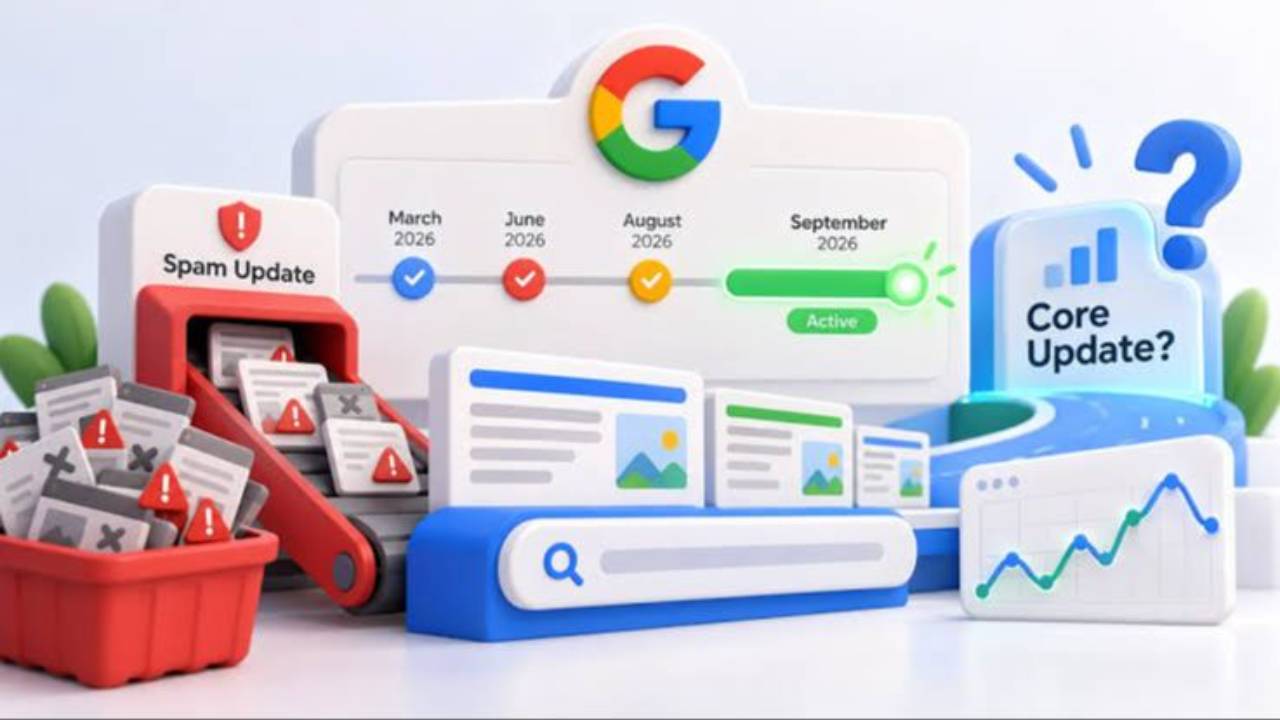
Last updated: November 2026 · Written by Adrian Prokopiec, 20 Minute Marketing · 10 min read
Quick answer
If your rankings dropped after a Google update, first confirm the dates on Google's Search Status Dashboard, then compare Search Console data before and after. Spam updates punish policy breaches such as scaled thin content and link schemes; core updates reassess overall quality. Fix the real problem, improve your key pages, and expect recovery to take months, not days.
Few things rattle a small business owner like opening Search Console and seeing the line fall off a cliff. Enquiries slow down, the phone goes quiet, and the internet is full of people shouting about the latest "Google update" without explaining what it means for a café in Napier or an electrician in Hamilton.
This guide is for New Zealand small business owners whose Google rankings moved after a spam update or a core update, or who want to protect themselves before the next one. You'll learn which updates actually happened in 2025 and 2026, how to tell whether one of them hit you, and a calm, step-by-step recovery plan. If you haven't set up Search Console yet, do that first with our 20-minute Google Search Console guide; you can't diagnose anything without it.
Which Google updates happened in 2025 and 2026?
Google lists every confirmed ranking update on its Search Status Dashboard ranking history. That page, not social media chatter, is the source to trust. Here are the confirmed updates since early 2025, with rollout times as Google reports them:
| Update | Started | Rollout length |
|---|---|---|
| March 2025 core update | 13 March 2025 | About 14 days |
| June 2025 core update | 30 June 2025 | About 17 days |
| August 2025 spam update | 26 August 2025 | About 27 days |
| December 2025 core update | 11 December 2025 | About 18 days |
| February 2026 Discover update | 5 February 2026 | About 22 days (Discover only) |
| March 2026 spam update | 24 March 2026 | Under a day |
| March 2026 core update | 27 March 2026 | About 12 days |
| May 2026 core update | 21 May 2026 | About 12 days |
| June 2026 spam update | 24 June 2026 | About 2 days |
| August 2026 spam update | 18 August 2026 | About 3 days |
| September 2026 spam update | 24 September 2026 | About 14 days |
Dates are US Pacific time, so NZ dates can be a day later. As of early November 2026, the September 2026 spam update is the most recent entry on the dashboard. The August 2025 spam update this page was originally written about stood out because it took almost four weeks to roll out, much longer than most spam updates, which is why so many owners saw rankings wobble for weeks rather than days.
Industry news sites such as Search Engine Journal report on each rollout as it happens, which is handy for context. But rumours of "unconfirmed updates" appear almost every week. If it isn't on Google's dashboard, treat it as normal ranking movement.
Spam update or core update: what's the difference?
The two types of update need different responses, so it's worth getting this clear.
| Spam update | Core update | |
|---|---|---|
| What it targets | Sites breaking Google's spam policies | Overall assessment of how helpful and reliable content is |
| Typical cause of a drop | Thin pages made at scale, link schemes, keyword stuffing, doorway pages, hacked or spammy content | Competitors' pages now judged more helpful than yours; nothing has to be "wrong" |
| What to do | Find and remove the policy breach | Improve the usefulness of your key pages |
| Google's guidance | Spam policies for Google web search | What site owners should know about core updates |
Google describes core updates as broad changes that don't target any particular site. Its own analogy is a list of favourite restaurants: when the list is refreshed, a restaurant that moves down hasn't necessarily got worse; others have simply been judged more deserving. Spam updates are different: they are aimed at specific practices, and if your site uses them, the fix is to stop.
How to tell whether an update actually hit your site
Before changing anything, confirm the cause. Plenty of ranking drops have nothing to do with Google updates: a site migration, a broken page, a new competitor or simple seasonality can all look the same on a graph.
Your 20-minute diagnosis
- Minutes 0 to 3: check the dashboard. Open the Search Status Dashboard and note the start and end dates of any update near your drop. Google suggests waiting until a rollout finishes, then at least another week, before drawing conclusions.
- Minutes 3 to 8: compare dates in Search Console. In Google Search Console, open the Performance report and use the Compare option to set the week after the update against the week before it started. Look at clicks, impressions and average position. A sharp, site-wide drop that lines up with an update date is a strong signal.
- Minutes 8 to 12: find the pages that fell. Switch to the Pages tab and sort by the difference in clicks. Did everything fall, or only one section such as blog posts or suburb pages? Patterns tell you where to look.
- Minutes 12 to 15: check Manual actions and Security issues. These sit in the Search Console menu. A manual action means a human reviewer found a policy breach, and the report tells you what it is. Most update impacts are algorithmic, so an empty report doesn't clear you.
- Minutes 15 to 20: check real enquiries. Rankings are a means, not the end. Compare form fills, calls and quote requests for the same periods. If you're a tradie running jobs through a tool like Fergus (see our Fergus review for NZ tradies), your job intake numbers are a great reality check.
If your drop is small (sliding from position 2 to position 4, say), Google's own advice is not to make drastic changes. Big, sustained, site-wide falls deserve a proper review. For a wider checklist of non-update reasons a site slips, see why your website isn't ranking: 12 reasons and fixes.
The issues spam updates target on small business sites
Google's spam policies cover practices like cloaking and hacked content that most small businesses will never touch. These are the ones we see catch ordinary NZ business sites:
- Scaled thin pages. Twenty near-identical suburb pages ("Plumber Ponsonby", "Plumber Grey Lynn"...) with only the place name swapped. Google calls this doorway abuse or scaled content abuse.
- Mass-produced AI content. Google's position is that how content is made matters less than whether it's helpful. Publishing dozens of unedited AI posts to chase keywords is exactly what the scaled content policy describes. Our guide to what Google actually says about AI-generated content covers the line in detail.
- Bought or swapped links. Old SEO packages that bought directory links or blog network links can still cause problems. Earning links properly is slower but safe; our free backlink strategies are a good start.
- Keyword stuffing. Pages that repeat "emergency electrician Hamilton" in every sentence read badly and break policy.
- Hacked or spam-injected pages. Out-of-date WordPress plugins are a common entry point. Check the Security issues report.
Step-by-step recovery plan
Recovery is about making your site genuinely better, not about tricking the next update. Work through this in order.
- Fix any policy breach first. If a manual action exists, fix exactly what it names, then submit a reconsideration request in Search Console. If you know you bought links or published thin pages at scale, deal with that before anything else.
- Consolidate near-duplicate pages. Merge thin suburb or service pages into fewer, stronger pages that say something specific about each area or service (photos of real jobs, local regulations, typical prices). Redirect the old addresses to the merged page.
- Improve your top ten pages. Use Google's people-first content self-assessment on the pages that lost the most traffic. Would a customer be satisfied after reading it, or would they need to keep searching?
- Show real experience. Add author details, real project photos, specifics from your work and honest answers to common questions. This is what generic content can't copy.
- Tidy the technical basics. Fix broken links, slow pages and intrusive pop-ups. They're rarely the main cause of an update drop, but they don't help.
- Leave strong pages alone. Google warns against changing content that already performs well. Deleting content should be a last resort, not a reflex.
- Request recrawling once. After you've improved key pages, use URL Inspection to request indexing for the most important ones.
How long does recovery take?
Longer than most people want. For spam updates, Google's spam updates documentation says improvements may help once its automated systems learn over a period of months that the site complies. For core updates, Google says some changes can show within days, but that lasting improvements often take several months and may not show until the next core update. Plan for a quarter, not a week, and keep the business moving in the meantime.
Protect your business from the next update
You can't control Google's algorithm. You can control how exposed you are to it.
- Build on your own land. An email list and a strong Google Business Profile keep customers coming when organic rankings wobble. Our piece on digital sovereignty for small business explains why owning your audience matters.
- Spread your lead sources. The five pillars of digital marketing give you several routes to customers, so one channel dipping doesn't empty the diary.
- Track the right numbers monthly. A short monthly report on the five metrics that actually matter lets you spot a slide early.
- Keep learning the fundamentals. Most update damage comes from shortcuts sold by someone else. If you're marketing your own business, our guide to what to learn first sets out a sensible order.
For broader planning, business.govt.nz has free government guidance on marketing and running a business, and Stats NZ publishes free business data you can use to size up your region before investing in a new channel. If local search is your main channel, our complete guide to local SEO in New Zealand and these practical local SEO tips are the next stop.
If you'd like a structured way to learn SEO properly, so you never need to buy a dodgy link package again, our SEO course for NZ small business owners covers the lot in short lessons. The Digital Marketing Essentials course adds social, email and Google Business Profile, and you can compare every option on our digital marketing courses page.
Key takeaways
- Only trust updates listed on Google's Search Status Dashboard; everything else is rumour or normal movement.
- Spam updates target policy breaches; core updates reassess overall helpfulness. They need different fixes.
- Diagnose before you act: compare before and after in Search Console, check Manual actions, and look at real enquiries.
- Consolidate thin, near-duplicate pages and improve your most important pages with real experience.
- Recovery usually takes months. Diversify your lead sources so one update can't sink you.
Frequently asked questions
How long does it take to recover from a Google spam update?
There's no fixed timeline. Google says its automated systems may need a period of months to learn that a site now complies with its spam policies. If you received a manual action, recovery starts once a reconsideration request is approved.
What's the difference between a spam update and a core update?
A spam update targets practices that break Google's spam policies, such as scaled thin content, link spam and keyword stuffing. A core update is a broad change to how Google assesses content quality overall, and a drop doesn't necessarily mean anything is wrong with your site.
Does AI content get penalised in spam updates?
Not because it's AI. Google focuses on whether content is helpful. Publishing large volumes of unedited AI content mainly to manipulate rankings falls under its scaled content abuse policy, whichever way the content was produced.
Should I disavow my backlinks after an update?
Usually not. Google generally ignores low-quality links, and the disavow tool is meant for cases where you have a manual action for unnatural links or know you built links that break its policies. Disavowing good links by mistake can hurt you.
Should I delete pages that lost rankings?
Only as a last resort. Improve or merge useful pages first. Remove or redirect pages that exist only to target a keyword and offer nothing a customer would value.
Keep reading
- Google Search Console in 20 minutes: setup and the key reports
- Getting found across Google, AI assistants, social and maps
- Image SEO for Google AI Mode, Lens and visual search
- Finding hidden traffic in Google Search Console
Learn SEO that survives algorithm updates
Our SEO course teaches NZ small business owners the people-first SEO Google rewards, 20 minutes at a time.
Learn digital marketing in 20 minutes a day
Self-paced courses from someone who runs digital for two national brands. Build skills you can show an employer or a client.