Email Deliverability for Small Business: How to Stay Out of the Spam Folder in 2026
Mar 26, 2026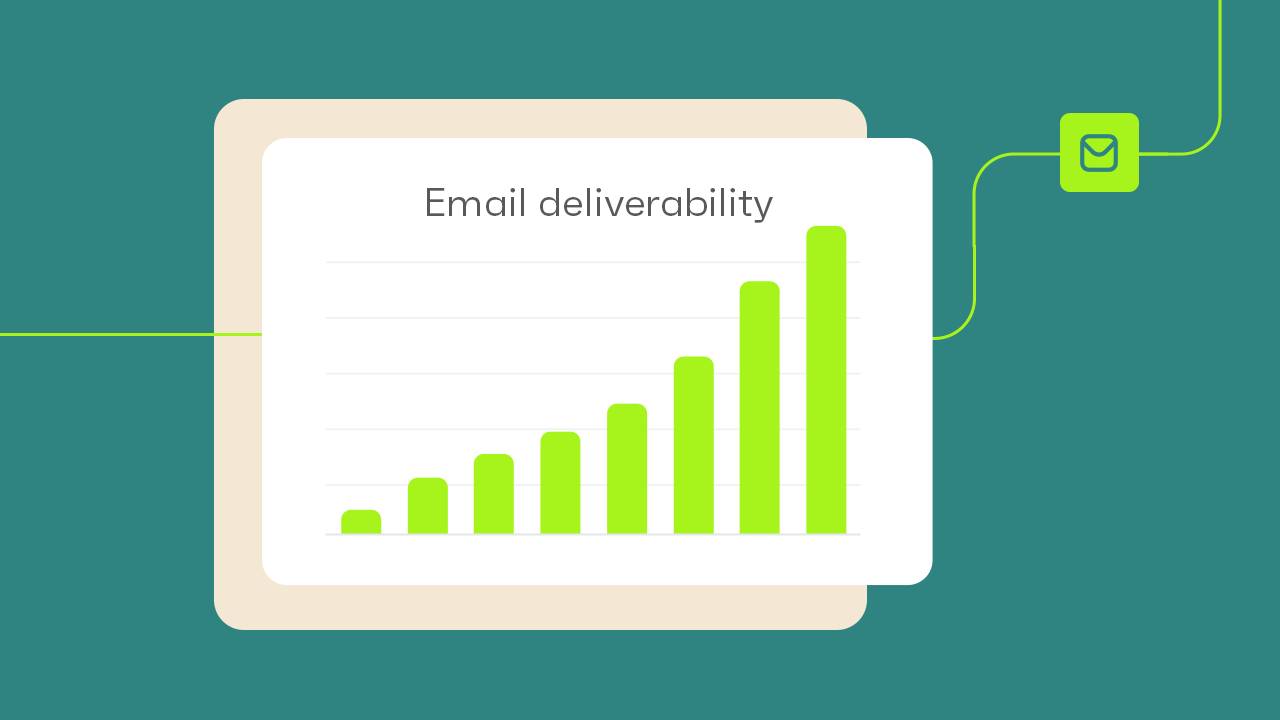
Last updated: April 2026 · Written by 20 Minute Marketing · 10 min read
You could write the greatest email in the history of your business — perfect subject line, compelling offer, gorgeous design — and none of it matters if the email lands in spam.
Email deliverability is the invisible foundation of every email marketing programme. The average deliverability rate sits at around 83% — meaning roughly one in five of your emails may never reach the inbox. For a small business relying on email to drive bookings and sales, that is revenue disappearing into a black hole.
Why Small Business Emails End Up in Spam
📘 Want the full picture? Read our the 2026 email marketing guide — the complete pillar guide this article is part of.
| Trigger | What causes it | The fix |
|---|---|---|
| Poor sender authentication | SPF, DKIM, and DMARC not configured — Gmail and Outlook flag your messages as suspicious | Set up authentication records in your domain DNS (15-minute task) |
| Low engagement | A large percentage of subscribers consistently ignoring your emails — inbox providers read this as "unwanted" | Clean inactive subscribers; improve content relevance |
| High spam complaints | Google now enforces a 0.3% threshold — 3 complaints per 1,000 sends significantly hurts deliverability | Make unsubscribe easy; only email people who opted in |
| Spam content signals | Excessive "FREE", ALL CAPS, too many links, image-heavy with little text | Write naturally; maintain 60/40 text-to-image ratio |
Setting Up Email Authentication: Non-Technical Guide
This sounds intimidating but is a 15-minute task. You need access to your domain's DNS settings (usually in your domain registrar — GoDaddy, Crazy Domains, Namecheap).
| 1 | SPF: A TXT record that tells receiving servers which email platforms are authorised to send from your domain. Your email platform (Mailchimp, ActiveCampaign, etc.) provides the exact record to paste into your DNS. |
| 2 | DKIM: Your email platform generates a unique DKIM key. You add it as a CNAME or TXT record. This cryptographically signs your emails so recipients can verify they haven't been tampered with. |
| 3 | DMARC: A TXT record telling servers what to do if an email fails SPF or DKIM. Start with p=none (monitor mode): v=DMARC1; p=none; rua=mailto:[email protected] |
10 Actionable Fixes — In Order of Impact
| 1 | Set up SPF, DKIM, and DMARC as described above. The single highest-impact change you can make. |
| 2 | Remove hard-bounced addresses. Continuing to send to non-existent addresses damages your sender reputation. Most platforms auto-remove these — verify. |
| 3 | Remove subscribers inactive for 90–120 days. Run a re-engagement campaign first, then remove non-responders. A smaller, active list is worth more than a large unresponsive one. |
| 4 | Make your unsubscribe link prominent. An unsubscribe is better than a spam complaint — one reduces your list cleanly, the other damages your reputation. |
| 5 | Use a consistent "from" name and email address. Don't alternate between different sender names. Consistency builds recognition. |
| 6 | Always send from your own business domain. Sending from gmail.com or outlook.com is a deliverability killer. Use [email protected]. |
| 7 | Warm up a new sending domain gradually. Start with most engaged subscribers. Increase volume over 2–3 weeks. |
| 8 | Maintain a 60/40 text-to-image ratio. Emails that are mostly images look suspicious to spam filters. |
| 9 | Include a plain text version. Most platforms generate this automatically — verify it is enabled in your settings. |
| 10 | Monitor your sender score monthly using free tools like Mail-Tester (mail-tester.com) — scores your emails on a 10-point scale and tells you exactly what to fix. |
How to Monitor Deliverability Ongoing
| Metric | Healthy target | Action if breached |
|---|---|---|
| Open rate | Stable or upward trending | Investigate if drops 5+ points over two consecutive sends |
| Bounce rate | Under 2% | Clean hard bounces; check your list source |
| Spam complaint rate | Under 0.1% (never exceed 0.3%) | Review consent practices and content immediately |
| Unsubscribe rate | Under 0.5% per send | Review content relevance or sending frequency |
See also: our guide to the 5 marketing metrics every small business should track weekly for a broader view of email performance in context.
The Pre-Send Checklist
Run through this before every campaign — takes under two minutes:
| Check | |
|---|---|
| ☐ | Consistent "from" name and address matching previous sends |
| ☐ | Subject line avoids spam trigger words and excessive punctuation |
| ☐ | Healthy mix of text and images (no image-only emails) |
| ☐ | Unsubscribe link is visible and functional |
| ☐ | Pre-header text is set deliberately (not left blank) |
| ☐ | All links work and point to the correct destinations |
| ☐ | Test email sent and checked on both desktop and mobile |
Want to master email marketing for your business?
The 20 Minute Marketing Essentials Course covers email deliverability, list building, mobile design, and automation — all in 20-minute lessons. $28.97/month
See the Essentials Course →Frequently Asked Questions
What is email deliverability and why does it matter?
Email deliverability is the percentage of your emails that reach the inbox rather than being filtered into spam. The average rate across platforms is ~83%, meaning roughly 1 in 5 emails may never be seen. For a business relying on email for bookings and sales, this is a direct revenue issue.
What are SPF, DKIM, and DMARC?
SPF tells receiving servers which email platforms are authorised to send from your domain. DKIM adds a cryptographic signature proving emails haven't been tampered with. DMARC tells servers what to do if authentication fails. Together, these three records are the foundation of email authentication — required by Google since February 2024.
How often should I clean my email list?
Remove hard bounces as they occur (most platforms do this automatically). Remove subscribers with no opens in 90–120 days every quarter, after a re-engagement campaign. A smaller engaged list consistently outperforms a large unresponsive one on every deliverability metric.
Why do my emails go to Gmail's Promotions tab?
Promotions tab is not spam — emails are still delivered. It's triggered by promotional content signals: heavy imagery, sales language, multiple links. To increase primary inbox placement: write more conversational text-heavy emails, reduce link count, and in your first welcome email ask subscribers to move your emails to their primary inbox.
Ready to put email on autopilot?
The 20 Minute Marketing course walks you through every sequence, automation and list-building tactic — built for owners with no time to spare.
Built for time-poor NZ small business owners.
You'll never need a Marketing Agency again!
Digital Marketing Courses that teach you more than an Agency ever could (or would!)